
Planbet · welcome offer +250% on your deposit
Reviews (2,748) ★★★★★
5.0Rating
Account · updated October 2026
Planbet · welcome offer +250% on your deposit
Reviews (2,748) ★★★★★
5.0Rating
Almost every failed sign-in has one of four causes, and three of them you can fix yourself in two minutes. The fourth needs one specific question to support.
Quick answerMost sign-in failures are the number rather than the password: a second SIM, a changed line, or a typo in the country code. Then come stale saved passwords, expired sessions, and account restrictions. Never share an SMS code with anyone, including someone claiming to be support.
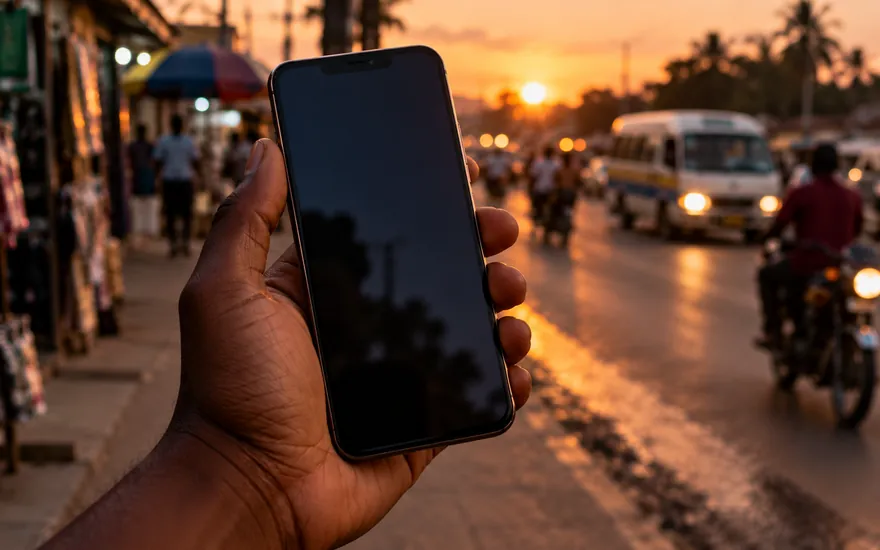
In this market the account is tied to a phone number rather than an email, so the usual cause of a failed sign-in is the wrong number.
A second SIM, a line that was replaced after a loss, or a number typed with or without the country code are all common.
Find the welcome SMS from the operator. The number it arrived on is the account's number, and that settles it immediately.
If the line itself is gone, this becomes a support matter with documents, not a password reset.
A browser or password manager that saved the password once will keep offering it, including after you changed it somewhere else.
The symptom is distinctive: the field looks full, sign-in fails instantly, and typing the password by hand works.
Clear the saved entry and let it save a fresh one after the next successful sign-in.
If two entries exist for the same site, that usually means two accounts, which matters because one account per person is standard.
Planbet · welcome offer +250% on your deposit
Reviews (2,748) ★★★★★
5.0Rating
A reset sends a code by SMS to the registered number. Ask once and wait: a second request usually invalidates the first and produces an expired-code error.
If the code does not arrive at all, the number is probably not the registered one. Check the welcome SMS before trying again.
Network congestion can delay delivery by minutes rather than seconds, especially in the evening.
Never read the code out to anyone. Support never needs it, and anyone who asks is not support.
Most operators end a session after a period of inactivity, and some end all sessions when a new sign-in happens on another device.
So a phone that was signed in last week may show a signed-out screen, or a stale page that fails on the first action rather than at sign-in.
Reloading the page, or closing and reopening the app, resolves it.
On a saved home-screen site this is the most common symptom of all, and it is not a password problem.
The fourth cause is the operator having restricted the account. It looks like a sign-in that succeeds and then stops, or one that fails with a generic message.
The usual reasons are verification outstanding, a duplicate-account check, a payment under review, or an active self-exclusion.
This is the only case that needs support, and the question to ask is specific: what is currently restricting this account, and what do you need from me?
Ask from the registered number or email. A query from a different address goes nowhere, for good reasons.
Do not open a second account to get around a restriction. One account per person is standard, and a duplicate usually freezes both.
If two-factor authentication is on and the code is not arriving, the cause is usually a changed number or an authenticator app restored to a new phone without its keys.
Backup codes exist for exactly this and almost nobody saves them. If the operator offered them at setup, they are the fastest route back in.
Without them, recovery becomes an identity check with support, which is slower and is the correct behaviour.
Set two-factor authentication up on a device you control, not a work phone or a shared one.
Fake sign-in pages shared in chat groups are the main way betting accounts are stolen in this market, more than password guessing.
The page looks identical and the address is one character different. The only defence is checking the address bar before typing anything.
The same applies to APK files: install only from the operator's own site, never from a forwarded link.
If you have typed a password into a page you are unsure about, change it immediately and check the account's payment settings.
Four habits cause more harm than any forgotten password, and all four are common.
Set a password you do not use anywhere else, and specifically not your mobile money PIN.
Enable two-factor authentication and save the backup codes somewhere you will still have them in a year.
Keep the registered number current: it is the recovery route for everything.
Set a deposit limit, which also caps what a stolen session can cost you. Responsible gambling covers the rest.
Usually the number rather than the password: a second SIM, a replaced line, or a missing country code. Then stale saved passwords, expired sessions, and account restrictions.
Check that the number is the registered one, using the welcome SMS, and ask only once before waiting a few minutes. A second request usually invalidates the first.
Replace the line with your network first, since it is registered to you. Then contact the operator from the registered email with your documents ready.
That is a restriction: outstanding verification, a duplicate check, a payment review or an active self-exclusion. Ask support which one, from the registered contact.
No. One account per person is standard, and a duplicate usually results in both being frozen.
Never. No operator needs your SMS code or your mobile money PIN, and anyone asking for either is not support.
Check the address bar before typing. Fake pages look identical and differ by a character, and they spread through forwarded links in chat groups.
18+. Offer details are set by the operator and shown here as supplied: the figures above are the only ones we state. Availability depends on where you are and on eligibility. Deposit routes, cashout timing, verification steps, wagering and limits are set by the operator and are not stated here — read them in the cashier and in the current terms after you sign in. We do not guarantee payout speed or availability. Betting costs money; treat any balance as spent. Checked: 20 October 2026.
Checked by the TZ Bet Guide desk. Operator terms change without notice: read the cashier and the current terms before you rely on anything here. Open Planbet.
 Planbet5.0 ★ · 18+ Play